QuickBooks Online backup software compared: Intuit native, Rewind, SysCloud, and Akika
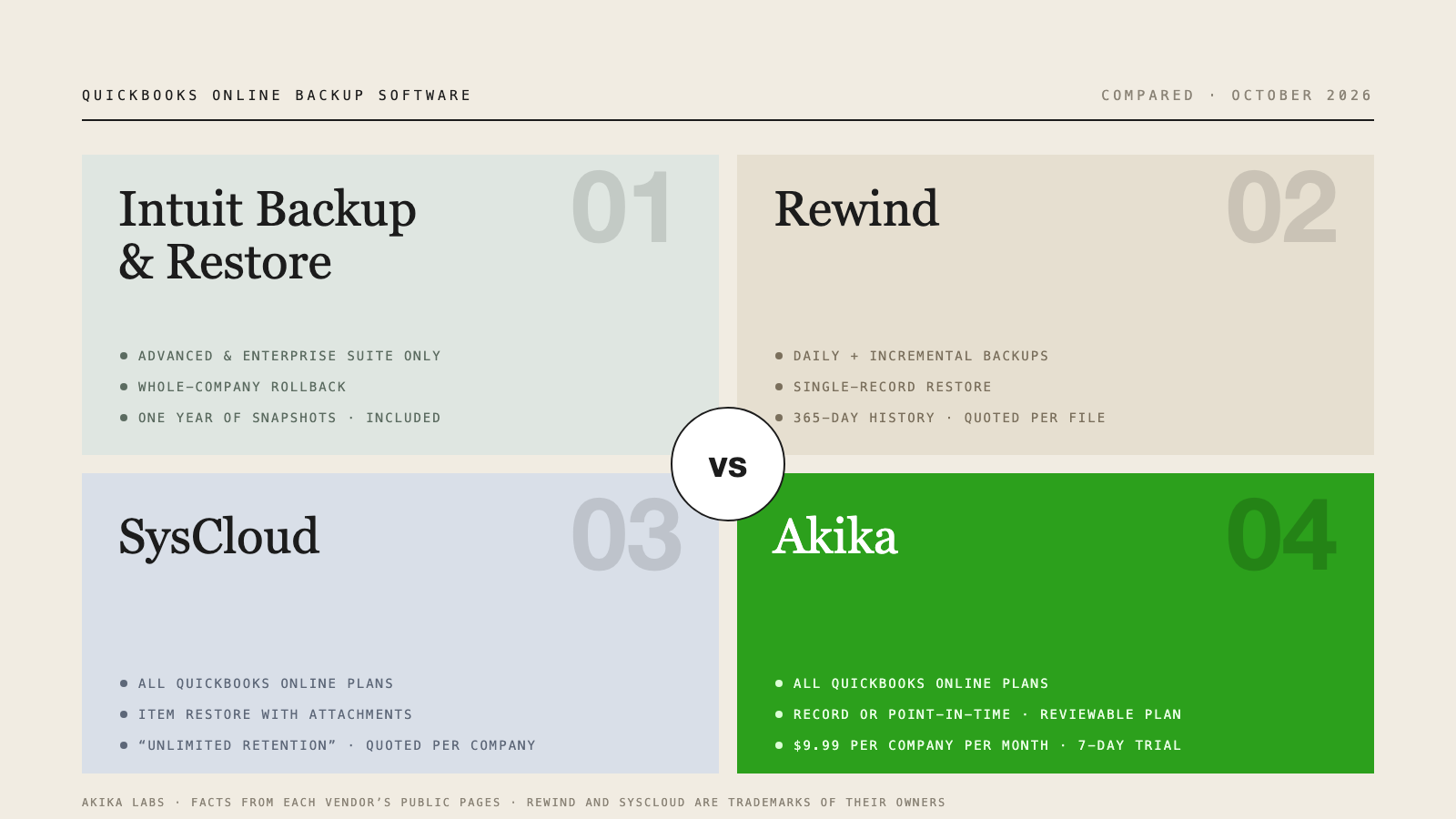
What to look for in QuickBooks Online backup software
Intuit backs up its own platform every night, but it says it cannot restore your file to a previous point in time. A QuickBooks Online backup you can actually use after a bad import or an accidental delete has to come from somewhere else. When you compare tools, these are the questions that separate them:
- Plan support. Intuit’s built-in tool is limited to Advanced and Intuit Enterprise Suite. Third-party apps use the QuickBooks API and typically cover Simple Start, Essentials, Plus, and Advanced.
- Restore granularity. Can you bring back one invoice, or only roll the whole company back to a date?
- Review before restore. Do you see exactly which records will be created or changed before you confirm?
- Retention. How far back can you go, and what happens to history when you cancel?
- Coverage. Which record types and whether attachments are included.
- Pricing model. Per company, per user, or quote only.
- Security. Encryption, data location, and certifications.
Comparison at a glance
| Criterion | Intuit Backup and Restore | Rewind | SysCloud | Akika |
|---|---|---|---|---|
| QuickBooks Online plans | Advanced and Intuit Enterprise Suite | Not stated on the product page | Simple Start, Essentials, Plus, Advanced | Simple Start, Essentials, Plus, Advanced |
| Backup frequency | Automatic once enabled, plus manual backups | Automated daily backups plus incremental backups of changes | Automatic; interval not published | Change capture from QuickBooks notifications, 24-hour catch-up, 7-day full backup, on-demand |
| Restore granularity | Whole company to a point in time | Single record, point-in-time, whole-file Advanced Restore, Restore On Request by Rewind’s team for some data | Individual items with their attachables | Single record or point-in-time, with a restore plan to review and approve |
| Retention | Last year; older backups not retrievable | 365 days of backup history | “Unlimited retention” in the page title; terms not detailed on the page | Retained while the subscription is active; no one-year cutoff |
| Attachments | Not listed among restored items | Attachments on transactions and records | Attachables included | Included when the API allows download at backup time |
| Published QuickBooks Online price | Included with Advanced | Priced per client file; QuickBooks Online list price not published | Priced per company; list price not published | $9.99 per company per month |
| Free trial | Not applicable | Yes; length not stated | 30 days | 7 days, no credit card |
Facts taken from each vendor’s public pages on October 12, 2026. Pricing and features change; check the vendor before you buy.
Intuit’s built-in Backup and Restore
Intuit documents Backup and Restore for QuickBooks Online Advanced and Intuit Enterprise Suite. You turn it on under Account and settings, Advanced, Backup. From then on backups run automatically, and you can run a manual full backup from the Settings gear before a risky change. A personal cloud backup can also archive data to Google Drive, although Intuit says you cannot currently restore from that archive.
The limits are the reason third-party tools exist. A restore completely replaces the current file with an older version rather than undeleting a specific item. Snapshots are kept for the last year only. And Intuit lists data that is not backed up or restored, including QuickBooks Payments information, recurring transactions, bank feeds and their links, reconciliation reports, custom reports, custom form templates, and audit log entries. Budgets must be exported separately, inventory history and adjustments are not included, and reconciled transactions do not remain reconciled.
Best for: Advanced subscribers who want a free safety net against a company-wide mistake and are prepared to redo reconciliations and recurring transactions afterward.
Rewind Backups for QuickBooks Online
Rewind is the best-known third-party name in this category and is listed in the Intuit app store. Its QuickBooks Online page describes automated daily backups plus incremental backups of changes, coverage of 31 record types across sales, purchases, ledger, contacts, tax and categories, and attachments and settings, and 365 days of backup history per connected client file.
On restore, Rewind describes restoring a single invoice, bill, or journal entry, point-in-time restore from backup history, an Advanced Restore of a whole client file that rolls transactions back to a given day, and a Restore On Request service run by Rewind’s team for budgets, currencies, and tax agencies. The page cites AES-256 encryption, storage in the United States or Canada, and SOC 2 Type II and ISO/IEC 27001:2022 certifications.
Rewind says it is priced per client file, with each file backed up and billed separately. Its pricing page lists plans starting at $4.00 and $5.20 per user per month based on the number of users in the platform you back up, but does not publish a QuickBooks Online list price, so expect to use its calculator or request a quote. The trial length is not stated.
Best for: firms that want an established vendor with published certifications and are comfortable with per-file quoted pricing.
SysCloud QuickBooks Online Backup
SysCloud positions itself on retention, with “Unlimited Retention” in its page title, and on plan coverage: Simple Start, Essentials, Plus, and Advanced are all named. The page describes automatic backups of transactions, invoices, attachables, lists, chart of accounts, tax rates, and exchange rates, restores of individual items with their attachables, and export of data in its original format. Archives can be stored in AWS regions in the US, UK, Canada, Australia, or Singapore. SysCloud also markets fraud detection alongside backup.
Backup frequency is not published on the page, retention conditions are not detailed, and pricing is based on the number of companies but is not listed, so you request a quote. The trial is 30 days.
Best for: organizations that back up several SaaS platforms with one vendor and want long retention and a choice of storage region.
Akika Backup & Restore
Akika is built only for QuickBooks Online and supports Simple Start, Essentials, Plus, and Advanced. It captures supported changes from QuickBooks notifications, runs catch-up backups every 24 hours and a full backup every 7 days after the last completed run, and takes an on-demand snapshot whenever you ask for one, for example before an import or an app sync. Backups are encrypted in transit and at rest and scoped to each company; see the security overview.
Restore is where Akika differs most. You browse activity, compare record versions to see what changed, then restore a single supported record or review a point-in-time recovery. Every restore begins with a plan that lists the records that will be created or updated and any prerequisites, and nothing is written to QuickBooks until you approve it. Our walkthrough of restoring a deleted invoice shows a real sandbox recovery end to end. Saved history is retained while your subscription is active, with no one-year cutoff, and attachment files are captured when the API allows download at backup time.
Pricing is published: $9.99 per QuickBooks Online company per month on the Standard plan, which also includes Akika’s spreadsheet import tool, with a 7-day free trial and no credit card. Akika does not back up QuickBooks Desktop, and recovery requires a backup taken before the record changed; connecting after a deletion cannot recreate missing history. Full coverage and limits are on the QuickBooks Online backup and restore page.
Best for: bookkeepers, accountants, and small businesses on any QuickBooks Online plan who want record-level restore with a reviewable plan at a flat, published price.
Tools like Rewind for QuickBooks Online backup
If you are searching for a Rewind alternative for QuickBooks Online, the tools that restore data back into QuickBooks, rather than only export it, are the ones to compare: SysCloud and Akika are the two covered here, alongside Intuit’s own feature for Advanced. Spreadsheet sync tools that copy QuickBooks data to Google Sheets or a data warehouse are useful for reporting, but they do not write records back, so they are not a substitute for a restore.
The practical differences come down to three things: whether pricing is quoted or published, whether you can see a restore plan before you approve it, and how long history is kept after a year.
How to choose
- On Advanced and happy with whole-company rollback? Turn on Intuit’s Backup and Restore today. It is free and better than nothing.
- On Simple Start, Essentials, or Plus? You need a third-party tool. Start a trial with one and take a backup before your next import.
- Need to undo one deleted invoice without touching anything else? Rewind, SysCloud, and Akika all describe single-record restores. Test the restore flow during the trial, not just the backup.
- Managing many client files? Compare per-file quotes against a flat per-company price for your actual file count.
- Want to see the change before it happens? Ask each vendor to show you the restore preview. Akika shows the plan on every restore.
Frequently asked questions
Is there free QuickBooks Online backup software?
QuickBooks Online Advanced includes Backup and Restore at no extra charge, and every plan can export reports and lists to Excel for free, although an export cannot be restored. Among third-party tools, SysCloud offers a 30-day free trial and Akika offers a 7-day free trial; both charge after the trial.
What is the cheapest QuickBooks Online backup?
Of the tools in this comparison, Akika is the only one with a published QuickBooks Online list price: $9.99 per company per month. Rewind and SysCloud price per client file or per company and ask you to request a quote or use a calculator, so the comparison depends on your file count.
Does QuickBooks Online Advanced’s backup replace third-party backup software?
It can, if a whole-company rollback within the last year is enough for you and you can live with the exclusions, which include bank feeds, reconciliation reports, recurring transactions, and audit log entries. If you need to restore one record without rolling back everything else, or you are on Simple Start, Essentials, or Plus, you need a third-party tool.
Can backup software restore a single deleted invoice in QuickBooks Online?
Rewind, SysCloud, and Akika all describe restoring individual items such as an invoice. Intuit’s built-in tool restores the entire company to an earlier state instead. Akika additionally shows a restore plan listing every change before you approve it.
Akika Labs provides automatic QuickBooks Online backup and restore for every QuickBooks Online plan.
Read what Akika backs up, see pricing, or learn how to back up QuickBooks Online on every plan. Akika Labs is independent of Intuit, Rewind, and SysCloud. Product names are trademarks of their respective owners.
Sources
- Intuit: Back up and restore your QuickBooks Online Advanced company
- Intuit: Do I need to back up my data with QuickBooks Online?
- Rewind: QuickBooks Online Backups and Data Recovery and Rewind pricing
- SysCloud: QuickBooks Online Backup with Unlimited Retention
Vendor pages reviewed October 12, 2026. If you represent one of these products and a statement here is out of date, email support@akikalabs.com and we will correct it.