Backup Reconciliation Errors: A Guide for Accountants

Backup Reconciliation Errors: A Guide for Accountants
When a bank reconciliation breaks, the fastest path to root cause is a point-in-time snapshot of your ledger taken before the error was introduced. Backups let you locate exactly when the divergence occurred, produce audit-ready evidence of the pre-error state, and choose between a surgical record-level restore or a targeted manual correction. The role of backup reconciliation errors in modern accounting practice is not passive storage; it is an active forensic tool.
Immediate next steps (do these before anything else):
- Stop posting edits to the affected period. Any new transaction compounds the divergence and muddies the audit trail.
- Export the current general ledger and transaction detail journal right now, before you touch anything. This export is your safety net if a restore overwrites post-backup activity.
- Identify the nearest pre-error snapshot in your backup system and note its timestamp. That snapshot is your baseline for comparison.
Pro Tip: Set a short timer to maintain focus during the investigation. In that window, run the reconciliation exception list, pull the audit trail for the affected account, and note the earliest transaction that looks wrong. You now have a working hypothesis before you open a single source document.
Table of Contents
- What are reconciliation errors, and why do they matter for audits?
- Common types of reconciliation errors and how to spot them
- How are reconciliation discrepancies detected and triaged?
- Why unresolved reconciliation errors affect your financial statements and audits
- How do backups and point-in-time snapshots help you find and fix reconciliation errors?
- Step-by-step workflow to investigate and fix a reconciliation discrepancy
- What controls and backup policies reduce future reconciliation errors?
- What should you look for in reconciliation and backup tools?
- Key Takeaways
- Backups in month-end close: tradeoffs worth naming
- Akikalabs gives you the forensic layer QuickBooks Online is missing
- Useful sources
What are reconciliation errors, and why do they matter for audits?
A reconciliation error is any mismatch between a bank or credit card statement balance and the corresponding ledger balance that cannot be explained by a legitimate timing difference. The term covers a wide range of causes, from a transposed digit on a manual journal entry to a bank feed sync failure that dropped an entire batch of cleared checks. In U.S. accounting practice, reconciliations are performed for bank accounts, petty cash, credit cards, and intercompany accounts, and each carries its own failure modes.
The distinction between an error and a timing difference matters. A check issued on the last day of the month that has not yet cleared the bank is a timing difference: it is expected, documented, and resolves itself in the next period. An amount posted to the wrong account, a duplicate payment, or a transaction that simply never made it into the ledger is an error: it requires investigation and correction.
Why auditors care:
- Unresolved reconciliation differences roll forward into the next period, compounding the gap and making the eventual correction larger and harder to explain.
- The Public Company Accounting Oversight Board (PCAOB) treats failure to maintain reconcilable, auditable data as a potential control deficiency, even when no material misstatement is present. AICPA guidance for non-public entities applies similar logic under AU-C Section 265.
- A reconciliation that cannot be reproduced or supported with evidence is, from an auditor’s perspective, the same as a reconciliation that was never done.
Month-end close deadlines create pressure to mark reconciliations complete before every difference is resolved. That shortcut is where small errors become audit findings.
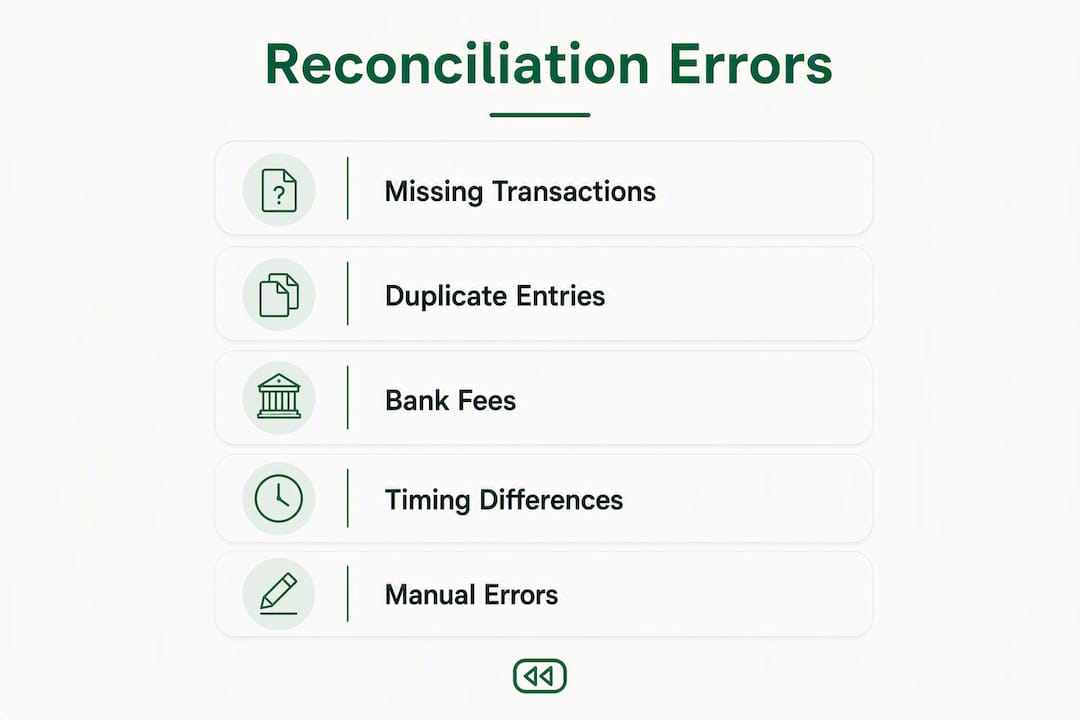
Common types of reconciliation errors and how to spot them
Recognizing the error type quickly determines which investigation path you take. The categories below cover the vast majority of discrepancies you will encounter in practice.
-
Timing differences. Checks issued but not yet cleared, or deposits in transit. Diagnostic: compare the outstanding items list to the prior period. If an item remains outstanding beyond a typical waiting period, it is likely a real error, not a timing issue.
-
Manual data-entry errors. Transposed digits (e.g., $1,890 entered as $1,980), misapplied amounts posted to the wrong account, or a payment applied to the wrong vendor. Diagnostic: sort unmatched transactions by amount and look for near-matches that differ by a factor of 9 (the classic transposition signature).
-
Duplicate postings. The same invoice or payment recorded twice, often from a bank feed import that ran twice or a manual entry made after an automated sync. Diagnostic: run a duplicate transaction report filtered by amount and date range.
-
Unrecorded bank fees and interest. Service charges, wire fees, or interest credits that appear on the bank statement but were never entered in the ledger. Diagnostic: compare the bank statement line by line against the ledger for the same date range.
-
Missing deposits or cleared checks. A deposit recorded in the ledger that the bank never received, or a check the bank cleared that was never posted. Diagnostic: match each cleared item on the bank statement to a ledger entry; flag anything on one side with no counterpart.
-
Currency and exchange-rate variances. For accounts with multi-currency transactions, the rate applied at posting may differ from the rate at settlement. Diagnostic: pull the foreign currency transaction detail and verify the rate applied against the rate on the settlement date.
Pro Tip: In high-volume environments, small errors compound fast. A small bank fee missed early can compound and appear in multiple reconciliations before the error is corrected. Flag and fix small unrecorded items immediately rather than carrying them forward.
How are reconciliation discrepancies detected and triaged?
Detection happens at several points in the accounting cycle, and the earlier you catch a discrepancy, the less it costs to fix.
Common detection points:
- Daily or weekly bank feed exception reports, which flag transactions imported from the bank that have no matching ledger entry
- Month-end unreconciled totals in the reconciliation module
- Variance reports comparing actual cash balances to the general ledger
- Exception lists generated by reconciliation tools that surface unmatched or aged items
Once a discrepancy surfaces, triage it before you start correcting anything. The triage criteria that matter most are amount (is it material?), frequency (is this a one-time event or a pattern?), and audit-period exposure (does this affect a period already under review?).
Triage checklist:
- Quantify the gap. Record the exact dollar difference and the accounts affected.
- Check the audit trail immediately. In QuickBooks Online, the audit log shows who changed what and when. Pull it before anyone else touches the file.
- Assess materiality. A $15 bank fee is different from a $15,000 misposted payment. Severity determines urgency and who needs to be in the room.
- Identify the affected period. If the error falls in a closed or audited period, escalate to the controller before making any entries.
- Determine who to involve. Bookkeeper handles initial investigation; controller or CPA reviews if the amount is material or the period is closed; the client or bank is contacted if the discrepancy involves a transaction the bank cannot match.
- Stop edits on the affected account until the investigation path is clear.
Reconciliation discrepancies are most efficiently resolved when you cross-check invoices and receipts against ledger entries before making any correcting entry. Document every adjustment as you go.
Why unresolved reconciliation errors affect your financial statements and audits
The downstream consequences of an unresolved reconciliation error extend well beyond a mismatched balance. Cash is the most scrutinized line on any balance sheet, and a reconciliation gap in cash flows directly into reported liquidity, working capital ratios, and, for tax purposes, the timing of deductible payments or taxable receipts.
Specific impacts to understand:
- Financial statement misstatement. An unrecorded bank fee reduces actual cash but not reported cash, overstating the balance. A duplicate payment overstates expenses and understates net income.
- Tax reporting errors. A payment posted in the wrong period shifts deductions across tax years, which can trigger IRS scrutiny on amended returns.
- Audit adjustments. Auditors who find unreconciled differences will propose adjusting journal entries. If those entries are material, they affect the audit opinion.
- Control findings. Under PCAOB inspection standards, persistent reconciliation weaknesses are treated as control red flags, not just bookkeeping mistakes. A pattern of unresolved differences can escalate to a significant deficiency or material weakness finding.
- Fraud exposure. Reconciliation gaps are one of the primary concealment mechanisms for occupational fraud. An unmatched disbursement that no one investigates is an open door.
The compounding problem: A single unresolved error in one period becomes the opening balance error in the next. By the time it surfaces in an audit, the correction touches multiple periods, multiple reports, and potentially multiple tax filings.
Prevention is cheaper than remediation. But when an error does appear, the speed and precision of your response depends heavily on what backup data you have available.
How do backups and point-in-time snapshots help you find and fix reconciliation errors?
This is where the role of backup reconciliation errors shifts from abstract risk management to concrete forensic capability. A point-in-time snapshot captures the exact state of your ledger at a specific moment: every transaction, its metadata, the user ID that created or modified it, and the timestamp. When a discrepancy appears, you are not guessing when it was introduced. You are comparing two known states.

What snapshots actually capture
A well-structured backup for QuickBooks Online captures transactions, invoices, bills, payments, journal entries, attachments, and the relationships between them. Akikalabs documents which QBO data elements are included in each snapshot, covering the full accounting graph rather than just flat transaction exports. That dependency-aware structure is what makes record-level restores possible without breaking linked records.
Practical forensic uses
Locating the divergence date. Compare the snapshot from two days before the discrepancy was noticed against the snapshot from the day after the last clean reconciliation. The diff between those two states shows exactly which records changed, who changed them, and when. That narrows a multi-week investigation to a single afternoon.
Producing audit evidence. Export the snapshot diff as a structured file and attach it to the audit workpaper. It shows the auditor the pre-error state, the post-error state, and the delta, without requiring them to take your word for it.
Identifying the root cause. Was it a bulk import that duplicated a batch? A bank feed sync that dropped 48 hours of transactions? A manual journal entry that posted to the wrong account? The change-tracking diff answers that question directly.
Restore trade-offs
| Error type | Recommended backup action |
|---|---|
| Missing transactions (sync failure) | Compare pre- and post-sync snapshots; reprocess the import against the pre-sync state |
| Duplicate postings from bulk import | Identify duplicates via snapshot diff; delete duplicates or restore record-level to pre-import state |
| Manual entry to wrong account | Use change-tracking to locate the entry; correct manually or restore the single record |
| Corrupted reconciliation (undone or overwritten) | Restore from the most recent clean backup and reprocess post-backup transactions |
| Widespread ledger corruption | Full-period restore after exporting current GL; reprocess all post-backup activity |
A record-level restore is the right call when the error is isolated to one or a few transactions. A full-period restore is appropriate when the corruption is widespread or the reconciliation itself was undone. Restore complexity in QuickBooks Online is real: QBO’s accounting graph means that restoring one record can affect linked records, so dependency-aware recovery matters.
Pro Tip: Before any restore, label the snapshot you are restoring from with a note in your backup system: date, reason, and who authorized it. Attach the pre-restore GL export to the same record. That documentation is your audit trail for the restore itself.
Step-by-step workflow to investigate and fix a reconciliation discrepancy
First 30–60 minutes
- Export the current GL and transaction detail journal. This is non-negotiable before any restore or correcting entry. If the restore overwrites post-backup transactions, this export is how you re-enter them.
- Pull the audit trail for the affected account and date range. Note the earliest suspicious entry.
- Run the reconciliation exception list and the unmatched transactions report. Record the total unreconciled amount.
- Identify the nearest pre-error snapshot in your backup system. Note its timestamp and confirm it predates the earliest suspicious entry.
- Compare the snapshot diff between the clean snapshot and the current state. List every changed record.
First day
- Cross-check changed records against source documents. Invoices, bank statements, payment confirmations. For each changed record, determine whether the change was legitimate or erroneous.
- Categorize each discrepancy by type (see the error-type table above) and decide on the correction method: manual correcting entry, record-level restore, or full-period restore.
- Escalate if the period is closed or the amount is material. The controller or CPA needs to authorize any entry that touches a closed period.
Days 2–5 (forensic path for complex discrepancies)
- For bulk-import errors: reprocess the original import file against the pre-import snapshot state, then verify the result against the bank statement.
- For sync failures: compare pre- and post-sync snapshots to identify the missing transaction batch, then re-import or manually enter the missing items.
- Apply correcting entries with clear memo text referencing the investigation (e.g., “Correction per reconciliation investigation [date], authorized by [name]”).
- Re-run the reconciliation and confirm the balance matches the bank statement.
- Document the full investigation in a reconciliation workpaper: the original discrepancy, root cause, correction method, snapshot timestamps used, and reviewer sign-off.
Documentation checklist for audit evidence:
- Pre-restore GL export (timestamped)
- Snapshot diff file showing changed records
- Source documents cross-referenced to each correction
- Audit trail extract covering the affected period
- Correcting journal entries with authorization memo
- Final reconciliation report showing zero unreconciled difference
What controls and backup policies reduce future reconciliation errors?
High-performing finance teams shift effort from detecting errors at month-end to preventing them earlier in the cycle. The controls below address both the process and the backup infrastructure that supports it.
Process controls:
- Segregation of duties. The person who posts transactions should not be the same person who reconciles the account. This single control eliminates the most common fraud vector in small accounting teams.
- Standardized reconciliation checklist. A written checklist with mandatory steps, sign-off fields, and a reviewer approval prevents the “close enough” shortcuts that create carry-forward errors.
- Exception tracking. Every unreconciled item gets logged with an owner and a resolution deadline. Items older than 30 days escalate automatically.
- Mandatory reviewer sign-offs. No reconciliation is marked complete without a second set of eyes. For client-facing bookkeeping firms, this is also a liability control.
Backup and retention policies:
- Daily snapshots for high-volume accounts; weekly snapshots for lower-volume accounts. The goal is to keep the maximum potential error window under one business day for critical accounts.
- Retain snapshots long enough to cover typical IRS audit exposure windows, with the most recent period kept in immediately accessible storage.
- Label every snapshot with the company name, date, time, and the name of the person who triggered it (or “scheduled” for automated runs).
- Run a restore test on a non-production company at least quarterly. A backup you have never tested is a backup you cannot trust.
Pro Tip: A backup retention policy tailored to your client roster is worth the hour it takes to write. Clients with high transaction volumes, multi-currency accounts, or pending audits should be on daily snapshots. Everyone else can run weekly.
Automation recommendations:
Intelligent matching rules in your reconciliation tool reduce manual matching errors by flagging exceptions before they become discrepancies. Duplicate detection catches double-posted imports at entry time rather than at month-end. Continuous reconciliation, where the ledger is compared to the bank feed daily rather than monthly, surfaces errors within hours of introduction rather than weeks.

Common reconciliation errors stem from weak controls and fragmented systems; centralizing matching, preserving evidence, and enforcing reviewer approvals measurably reduce recurrence.
What should you look for in reconciliation and backup tools?
The feature criteria below apply whether you are evaluating a standalone reconciliation tool, a bank feed integration, or a dedicated backup solution for QuickBooks Online.
Reconciliation tool features to prioritize:
- Full audit trail with user ID, timestamp, and change detail for every transaction
- Exception reporting that surfaces unmatched, aged, or duplicate items automatically
- Automated matching with configurable rules (amount tolerance, date range, reference number)
- Reviewer workflow with sign-off tracking and status visibility
Backup-specific features that matter for reconciliation work:
- Point-in-time snapshots on a scheduled and on-demand basis
- Record-level (granular) restores, not just full-company restores
- Change-tracking diffs that show exactly what changed between two snapshots
- Encrypted storage with access controls and a tamper-evident audit trail
- Exportable snapshot data in a format that can be attached to audit workpapers
QuickBooks Online context:
Common QuickBooks reconciliation discrepancy causes include bank feed sync failures, missing quality-control reviews, and backup/restore issues. QBO does not natively offer point-in-time snapshots or granular restores. A dedicated third-party backup with change-tracking fills that gap directly, reducing investigation time from hours to minutes when a diff is available.
Pro Tip: Configure your backup tool to run a snapshot immediately before and immediately after every bulk import or bank feed sync. Those two snapshots bracket the highest-risk moments in your QBO workflow and give you a clean before/after comparison if something goes wrong.
Key Takeaways
Backups are the decisive forensic tool for reconciliation errors: without point-in-time snapshots and change-tracking diffs, locating when a ledger diverged is guesswork; with them, it is a structured comparison.
| Point | Details |
|---|---|
| Stop edits before investigating | Freeze the affected account and export the current GL before making any changes or restores. |
| Snapshots locate the divergence date | Compare pre- and post-error snapshots to identify exactly which records changed and when. |
| Restore type depends on error scope | Use record-level restores for isolated errors; reserve full-period restores for widespread corruption. |
| Audit evidence requires documentation | Save snapshot diffs, GL exports, source documents, and authorization memos as a complete workpaper package. |
| Akikalabs provides the QBO backup layer | Scheduled point-in-time snapshots, granular restores, and change-tracking diffs give accounting teams the forensic infrastructure QuickBooks Online does not natively offer. |
Backups in month-end close: tradeoffs worth naming
The ideal control environment runs daily snapshots for every client, tests restores quarterly, and maintains seven years of versioned history. The real world involves API rate limits, storage costs, and accounting teams that are already stretched at month-end.
The honest tradeoff is this: daily snapshots cost more than weekly ones, but the cost of a missed error that compounds across three months is almost always higher. The ROI calculation is not about storage fees. It is about investigation hours. When a bookkeeper can compare two snapshots and identify a root cause in 20 minutes instead of spending two days reconstructing transaction history from bank statements and emails, the math is clear.
Where backups deliver the most value for reconcilers is not in the catastrophic scenarios, though they matter. It is in the routine, mid-cycle discrepancy: a bank feed that silently dropped a batch of transactions, a bulk import that duplicated 30 invoices, a manual journal entry that posted to the wrong account on a Friday afternoon. Those are the errors that eat investigation hours and erode client trust. A snapshot taken the morning of the import and another taken the evening after it gives you a clean diff that resolves the question in minutes.
Communicating a restore plan to leadership or a client requires one thing above all: specificity. “We are going to restore the ledger to its state as of 8:00 AM on Tuesday, March 4, re-enter the 12 transactions posted after that point, and re-run the reconciliation” is a plan. “We are going to roll back the data” is not. The more precisely you can describe what will be overwritten and what will be preserved, the more confidence you build.
Akikalabs gives you the forensic layer QuickBooks Online is missing
QuickBooks Online does not offer point-in-time snapshots, record-level restores, or change-tracking diffs natively. When a reconciliation breaks and you need to know exactly what changed and when, that gap costs investigation hours you do not have.

Akikalabs fills that gap with scheduled and on-demand point-in-time snapshots, granular restores, and change-tracking diffs built specifically for QuickBooks Online. Every snapshot captures the full accounting graph: transactions, invoices, bills, payments, attachments, and their dependencies. Record-level restores let you recover a single deleted transaction without touching the rest of the ledger. Diff exports give you a structured audit evidence package you can attach directly to a workpaper. Storage is encrypted, access-controlled, and built to meet the security standards accounting firms require for client data.
Start a 7-day free trial at akikalabs.com and run a snapshot export on your first connected QBO company today.
Useful sources
The following references were used in preparing this article and are recommended for further reading on reconciliation procedures, audit standards, and backup practices.
- Public Company Accounting Oversight Board (PCAOB) — Primary source for audit inspection standards and control deficiency guidance relevant to reconciliation failures.
- How Akika Labs Works | QuickBooks Online Backup & Restore — Feature documentation for point-in-time snapshots, record-level restores, and change-tracking diffs in QBO.
- What Akika Backs Up for QuickBooks Online | Akika Labs — Details on which QBO data elements are captured in each snapshot, including transaction metadata and attachments.
- QuickBooks Online Backup: Why Restore Is the Hard Part | Akika Labs — Explains restore complexity in QBO and the preparation steps required before any restore.
- Backup Retention Policy: A Guide for Accountants | Akika Labs Blog — Retention policy guidance including snapshot cadence recommendations by account volume.
A note on audit evidence: When preserving snapshot diffs and GL exports as audit evidence, attach them to the reconciliation workpaper at the time of the investigation, not after the fact. Timestamped exports created during the investigation carry more evidentiary weight than reconstructions prepared later.
Recommended
- Akika Labs Blog | QuickBooks Online Backup & Restore
- QuickBooks Online Backup: Why Restore Is the Hard Part | Akika Labs
- What Akika Backs Up for QuickBooks Online | Akika Labs
- Akika Labs | Secure Backup & Restore for QuickBooks Online
Akika Labs provides secure backup and restore for QuickBooks Online.
Read what Akika backs up, see how the restore workflow works, or review the security model. Akika Labs is an independent product and is not affiliated with Intuit or QuickBooks.