Backup Archives for QuickBooks Online: Accountant's Guide

Backup Archives for QuickBooks Online: Accountant’s Guide
For QuickBooks Online clients, the right approach combines frequent, automated, immutable backups for day-to-day operational recovery with a separate archive tier for long-term retention and audit evidence. Set up both, and you have a defensible data protection posture. Use only one, and you have a gap that will surface at the worst possible moment.
Start here:
- Automated daily snapshots with record-level restores. Configure a third-party backup tool to capture point-in-time snapshots of each QBO company at least once per day, with the ability to restore a single transaction, invoice, or journal entry without touching the rest of the ledger.
- Archive retention policy aligned to U.S. tax and audit rules. Map each QBO data type to a retention window (seven years for most federal tax records; longer for payroll and contracts) and move those snapshots to immutable, cold-tier storage once they age out of the operational recovery window.
Pro Tip: Pick one high-priority client, enable automated backup today, and run a test restore within seven days. A single successful restore drill tells you more about your vendor’s real capabilities than any sales sheet.
Table of Contents
- What is the difference between backup archives and data archives?
- Why QuickBooks Online native retention is not enough
- What should your backup checklist require for QBO clients?
- How to design an archive strategy for U.S. accounting compliance
- What restore scenarios should you plan for in QuickBooks Online?
- How does backup and archive pricing typically work?
- What questions should you ask a backup provider before signing?
- How do you keep backups and archives reliable over time?
- Key Takeaways
- The mistake most firms make with QBO data protection
- Akikalabs protects your QBO clients with automated backup and archive
- Useful sources and further reading
What is the difference between backup archives and data archives?
Industry guidance draws a clear line: backups are short-term, frequent snapshots built for speed. Archives are long-term, immutable records built for evidence. Treating one as the other breaks either your recovery speed or your evidentiary integrity, as Spectra Logic notes.

Backups capture the current state of your QBO data at a point in time. They are designed to be overwritten or rotated as new snapshots arrive, and their primary job is fast operational recovery: restore a deleted transaction, roll back a bad bulk import, or recover from ransomware within minutes or hours.
Archives are a separate, immutable copy of records that have passed out of the active operational window. They are not rotated. They are not overwritten. Their job is to satisfy an IRS audit, respond to an eDiscovery request, or prove a transaction existed on a specific date three years ago.
| Dimension | Backup | Archive |
|---|---|---|
| Primary purpose | Operational recovery | Compliance and audit evidence |
| Access speed | Minutes to hours | Hours to days (cold tier) |
| Overwrite behavior | Rotated on schedule | Immutable; never overwritten |
| Immutability | Optional (WORM recommended) | Required |
| Typical lifespan | Short-term | Several years or longer |
| Storage tier | Hot or warm | Cold or deep archive |
“Backups are the operational safety net; archives are legal evidence. Using one to replace the other leaves firms vulnerable in both operational incidents and audits.” — Spectra Logic
Pro Tip: When a data set stops changing and its only future use is compliance or audit response, stop cycling it through your backup rotation and move it to an immutable archive tier. Keeping cold compliance data in a hot backup rotation wastes storage and creates unnecessary overwrite risk.
Why QuickBooks Online native retention is not enough
QuickBooks Online’s built-in tools are designed for application availability, not business continuity. Spanning’s guidance is direct: SaaS-native retention cannot substitute for third-party backups when accountants need searchable, record-level restores after human error or data corruption.
The specific failure modes that expose this gap are predictable:
- Accidental deletion. A staff member deletes a vendor bill. QBO’s audit log records the event, but the platform does not offer a one-click restore of that single record to its prior state.
- Bad bulk import. A CSV import overwrites hundreds of transaction records. Rolling back requires restoring the entire company file, not a targeted record-level undo.
- Corrupt journal entries. A sync error or third-party app integration writes malformed entries. Without a point-in-time snapshot, there is no clean state to restore to.
- Ransomware targeting connected apps. Ransomware that reaches a QBO-connected integration can corrupt or exfiltrate data before QBO’s own retention window captures a clean copy.
The same logic applies to archives. Firms that rely solely on QBO exports as their archive strategy discover the problem during an audit: an exported CSV or PDF lacks the metadata, timestamps, and chain-of-custody documentation that an immutable snapshot provides. Exports are a reporting tool, not an audit-ready archive.
What should your backup checklist require for QBO clients?
A vendor that cannot meet the following requirements is not a viable option for accounting firms managing client data.
Essential features:
- Automated scheduling. Daily snapshots at minimum; configurable to more frequent intervals for high-volume clients.
- Point-in-time snapshots. The ability to view the exact state of a QBO company at any prior snapshot timestamp.
- Record-level restores. Restore a single transaction, invoice, customer record, or journal entry without a full-company rollback.
- Full-company rollback. When corruption is widespread, restore the entire ledger to a prior clean state.
- Immutability / WORM option. Snapshots cannot be modified or deleted by the vendor or by an attacker with compromised credentials.
- Encryption at rest and in transit. AES-256 at rest; TLS in transit. Confirm who holds the encryption keys.
- Searchable metadata and audit trails. Every snapshot, restore action, and export must be logged with timestamps and user attribution.
- Exportability. You must be able to export snapshot data in a portable format for audits, reconciliation, or migration.
Operational controls to verify:
- RTO (restore time objective). How long does a single-record restore take? How long does a full-company restore take? Get these in writing.
- RPO (recovery point objective). What is the maximum data loss window if a failure occurs between snapshots?
- Role-based access controls. Firm admins should be able to restrict which staff can initiate restores or view client data.
- SLA language. Confirm the vendor’s contractual commitment to restore windows, not just a marketing claim.
Pro Tip: During a vendor trial, request a live record-level restore of a single transaction from a snapshot taken 48 hours earlier. If the vendor cannot demonstrate this in under 15 minutes, the feature is not production-ready.
How to design an archive strategy for U.S. accounting compliance
U.S. tax and audit rules impose specific retention windows that your archive policy must reflect. The IRS generally recommends keeping records that support a tax return for at least three years from the filing date, but the practical standard for accounting firms is longer.
| Data Type | Recommended Retention | Rationale |
|---|---|---|
| Transactional ledgers | Several years | IRS audit window; state tax authority requirements |
| Payroll records | Several years | IRS + Department of Labor requirements |
| Contracts and agreements | Multiple years | Statute of limitations for contract disputes |
| Corporate formation records | Long-term | Required for entity lifecycle and M&A due diligence |
| Bank reconciliations | Several years | Supports audit and fraud investigation |
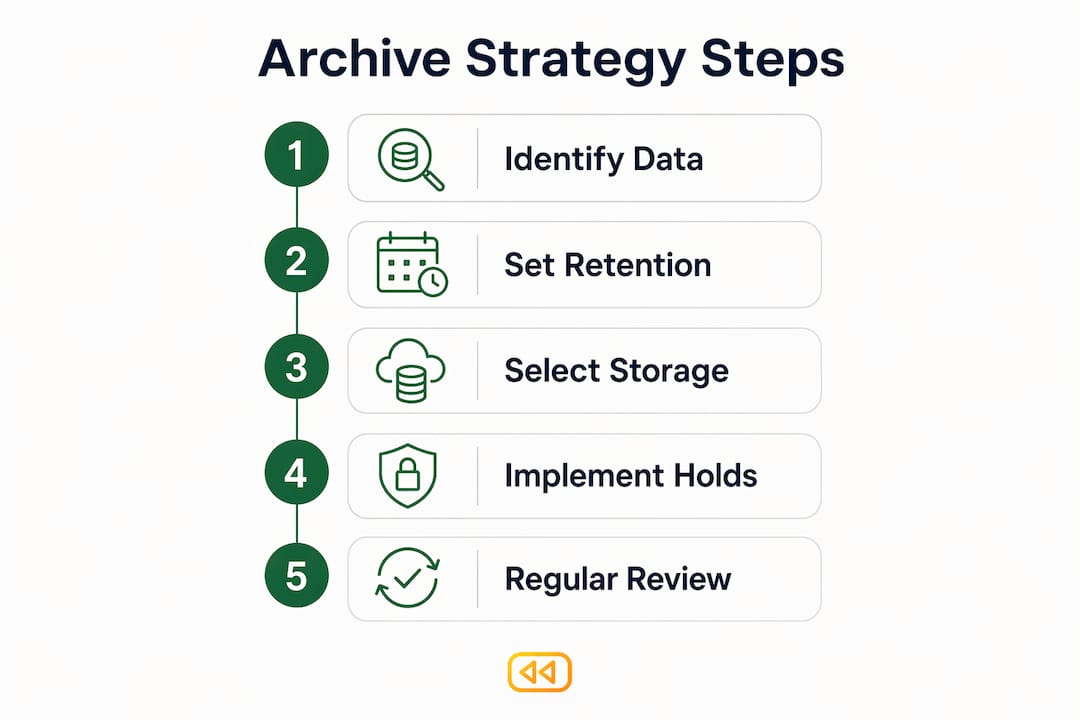
For storage tiers, cloud archive options like Amazon S3 Glacier or Azure Archive Storage provide low-cost, durable preservation for rarely accessed data. S3 Glacier Deep Archive, for example, is designed for data retained seven to ten years or longer, with retrieval within twelve hours. These tiers cost a fraction of hot storage and are appropriate for compliance archives once data ages out of the operational recovery window.
Legal holds require a separate control: when a client is under litigation or regulatory investigation, the relevant data set must be locked from any deletion or modification, regardless of your normal retention schedule. Immutable snapshots with WORM controls satisfy this requirement. Exported CSVs do not.
What restore scenarios should you plan for in QuickBooks Online?
Common scenarios and expected timelines:
- Single transaction recovery. A deleted or overwritten invoice. With record-level restore capability, resolution takes minutes.
- Customer or vendor record recovery. A contact record merged or deleted in error. Record-level restore; typically under 30 minutes.
- Batch-import rollback. A bad CSV import corrupted 500 transaction records. Requires a point-in-time rollback to the snapshot before the import; expect 1–4 hours depending on company size and vendor infrastructure.
- Full company rollback after corruption or ransomware. The most severe scenario. Expect several hours to a full business day, depending on data volume and vendor SLA.
Test-restore checklist:
- Identify a non-production QBO company or a sandboxed snapshot for testing.
- Request a single-record restore from a snapshot at least 48 hours old.
- Request a point-in-time restore to a specific timestamp.
- Verify that restored records match the expected state using the vendor’s diff or change-tracking view.
- Document the elapsed time from request to confirmed restore.
- Repeat quarterly; include a full-company restore drill at least once per year.
For a detailed walkthrough of restore mechanics, the cloud restore process guide covers the technical steps in depth.
How does backup and archive pricing typically work?
Most third-party QBO backup providers bill on a per-connected-company-per-month model. This makes cost predictable and scales naturally as your client roster grows. Storage-based billing is less common but appears in some enterprise-tier offerings, where archive volume drives the monthly cost.
| Pricing Model | Best For | Watch For |
|---|---|---|
| Per company/month (flat) | Firms with stable client counts | Restore fees or egress charges billed separately |
| Storage-based | High-volume archive users | Costs compound as archive volume grows |
| Tiered with add-ons | Firms needing priority SLAs | Priority support and immutability may be add-ons |
Cost drivers beyond the base subscription include backup frequency and granularity, archive retention volume, export and egress fees, immutability or air-gap features, and SLA tier. When presenting the cost to a client, compare the monthly subscription against the hourly rate for emergency data reconstruction: manually rebuilding a corrupted QBO file from bank statements and paper records routinely takes 20–40 hours of billable time. The business case for client data protection is straightforward once that comparison is on the table.
What questions should you ask a backup provider before signing?
Must-ask questions:
- Can you demonstrate a record-level restore of a single QBO transaction from a 48-hour-old snapshot, live, during the trial?
- Who holds the encryption keys? Can we bring our own?
- What is your contractual RTO for single-record and full-company restores?
- Do you offer immutable storage or WORM options, and are they included or an add-on?
- In what format can we export snapshot data, and is there an egress fee?
- Where is our data physically stored, and does it remain within the United States?
- Do you provide a full audit log of all backup, restore, and export actions?
Red flags:
- No record-level restore capability; only full-company rollback.
- Retention policy is opaque or controlled entirely by the vendor with no customer override.
- Encryption keys are vendor-managed with no customer-managed key option.
- No support for restore testing during the trial period.
- No documented exit path or data export format.
Pro Tip: Ask the vendor to show you the audit log for a restore action performed during your trial. If the log does not show the initiating user, the timestamp, the snapshot used, and the restored record identifier, it will not satisfy an auditor.
For additional vendor evaluation context, the backup alternatives guide covers common gaps in competing offerings.
How do you keep backups and archives reliable over time?
A backup that has never been tested is an assumption, not a control. The runbook below gives accounting firms a repeatable verification cadence.
Daily / weekly (automated): Confirm that scheduled snapshots completed successfully. Most backup platforms surface this as a dashboard status or email alert. Assign a firm admin to review alerts each Monday morning.
Monthly: Run a single-record restore drill on one client company. Document the snapshot timestamp used, the record restored, the elapsed time, and the outcome. Store this log in your firm’s internal records.
Quarterly: Run a full point-in-time restore drill on one client company. Measure the elapsed time against the vendor’s stated RTO. If the actual time exceeds the SLA, open a support ticket and document the discrepancy.
Annually: Validate the archive tier. Confirm that snapshots moved to cold storage are still retrievable, that metadata is intact, and that the export format remains compatible with your audit workflow. This is also the moment to review retention windows against any changes in IRS guidance or state tax rules.
Ownership matters. The firm admin owns the monitoring and monthly drills. The vendor’s support team owns escalation when a drill fails. Client consent is required before running any restore drill that touches live client data.
Key Takeaways
For QuickBooks Online clients, reliable data protection requires both automated immutable backups for operational recovery and a separate archive tier aligned to U.S. tax retention rules, tested regularly and documented for audit readiness.
| Point | Details |
|---|---|
| Use both backup and archive | Backups handle operational recovery; archives preserve immutable evidence for audits and compliance. |
| Automate and test restores | Schedule daily snapshots and run a record-level restore drill at least monthly to confirm the vendor’s SLA is real. |
| Align archive retention to U.S. rules | Retain transactional ledgers and payroll records for at least seven years; contracts for seven to ten years. |
| Require record-level restores | A vendor that can only perform full-company rollbacks cannot meet the granularity accountants need for day-to-day recovery. |
| Akikalabs for QBO backup and archive | Akikalabs provides automated encrypted backups, point-in-time and record-level restores, and compliance-ready archive controls for QuickBooks Online. |
The mistake most firms make with QBO data protection
The most common error is not neglecting backups entirely. It is conflating exports with archives and assuming that QBO’s native retention handles the rest. Firms download a CSV at year-end, file it in a folder, and call it an archive. Then an audit arrives asking for the state of a specific account on a specific date, and the CSV cannot answer that question.
The second mistake is never testing restores. A backup that has not been restored is a theory. Quarterly drills are the single most effective control for detecting misconfigurations before they become emergencies.
The quick wins are genuinely quick: enable daily automated snapshots for every client company, verify that a single-transaction restore works on at least one company this week, and build a retention policy that maps each QBO data type to a specific archive window. These three actions close the most dangerous gaps in under an hour of configuration time.
Akikalabs protects your QBO clients with automated backup and archive
Every client company you manage carries audit exposure, and a single unrecoverable data loss event can cost more in reconstruction time than a year of backup subscriptions.
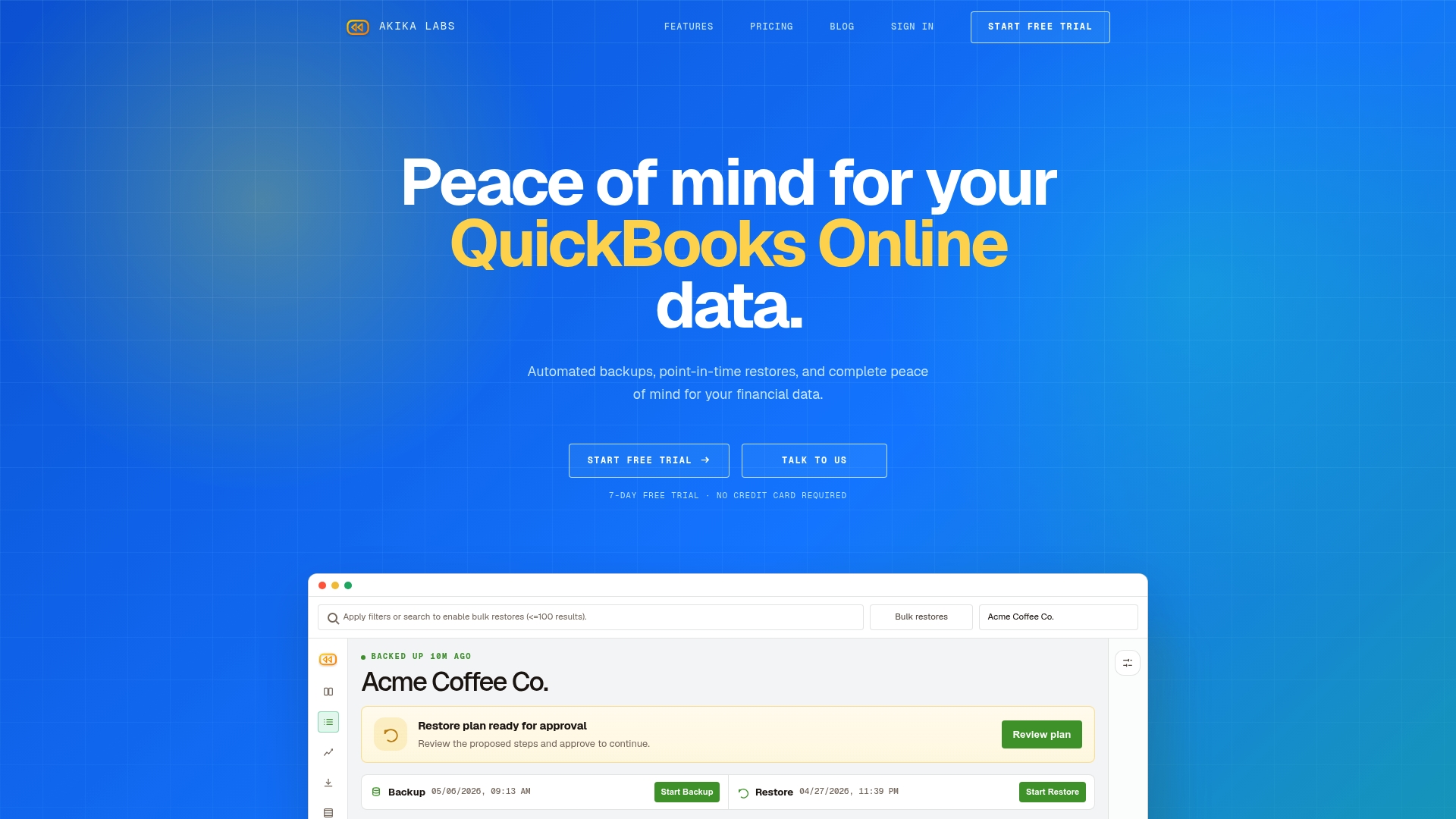
Akikalabs delivers automated, encrypted backups for QuickBooks Online with point-in-time and record-level restores, change tracking with diff visibility, and compliance-ready controls including SOC 2, encryption at rest and in transit, and immutable snapshot options. The pricing model is straightforward: a per-connected-company monthly subscription with a seven-day free trial and an optional priority support upgrade. There are no long-term contracts and no egress fees for standard restores. You can review the full security and compliance controls at Akikalabs security.
Start your free trial at Akikalabs and run a live record-level restore on your first connected company within the trial window.
Useful sources and further reading
The following sources informed the definitions, archive strategy, vendor evaluation, and compliance guidance in this article.
- Backup vs. Archive: Understanding the Foundation of Cyber-Resilient Data Protection — Spectra Logic. Supports the definitions section, the case for separating backup and archive tiers, and the perspective section.
- Backup vs. Archiving: The Key Differences — Seagate. Supports the definitions and archive strategy sections.
- Backup vs. Archive: Why They Are Not the Same — Spanning. Supports the section on QBO native retention limitations and the backup requirements checklist.
- Archival Storage: Data Tiering, Costs & Cloud Options — Komprise. Supports the archive strategy and storage tiering sections.
- Azure Archive Storage — Microsoft Azure. Supports the archive strategy section on cloud archive tiers and security features.
Recommended
- QuickBooks Online Backup: Why Restore Is the Hard Part | Akika Labs
- Akika Labs Blog | QuickBooks Online Backup & Restore
- How Akika Labs Works | QuickBooks Online Backup & Restore
- Akika Labs | Secure Backup & Restore for QuickBooks Online
Akika Labs provides secure backup and restore for QuickBooks Online.
Read what Akika backs up, see how the restore workflow works, or review the security model. Akika Labs is an independent product and is not affiliated with Intuit or QuickBooks.